Desktop tool to
NobodyToldYou connects your desktop workflow directly to TikTok. Create videos, edit captions, and upload or publish — all through the TikTok API with secure OAuth 2.0 authentication. Direct publishing requires TikTok approval for the `video.publish` scope.
No sign-up requiredFree forever
Features
Everything you need to upload to TikTok
NobodyToldYou provides a complete desktop workflow for creating, editing, and uploading videos to TikTok — using the TikTok API. Direct publishing requires TikTok approval for the `video.publish` scope.
Video Upload
Select any video file from your computer and upload it directly to your TikTok account. Supports MP4 and MOV formats up to the TikTok API limit.
Caption Editing
Write and preview your video caption before uploading. Add hashtags, mentions, and format your text exactly how you want it to appear on TikTok.
TikTok Account Connection
Connect your TikTok account securely using the official OAuth 2.0 authorization flow. Your credentials are never stored — only a secure access token is used.
Draft Upload Capability
Upload videos as drafts to your TikTok account. Review and finalize your content inside the TikTok app before publishing to your audience.
Secure & Private
We use the official TikTok API with proper OAuth scopes. No passwords are collected. Access tokens are encrypted and never shared with third parties.
Fast & Reliable
Built as a native desktop application for maximum performance. Upload videos quickly without browser limitations or slow web interfaces.
Quick Start
Get Started in 60 Seconds
Three simple commands to start uploading videos to TikTok from your desktop
Cross-Platform
Windows + macOS
Auto-Updates
Always latest version
Offline Capable
Works without internet for editing
Security & Trust
Security & Trust
Your data security is our top priority. NobodyToldYou is built with security best practices at every level.
OAuth 2.0 Authentication
We use industry-standard OAuth 2.0 to connect your TikTok account. Your password is never shared with us.
Uses TikTok API
All video uploads go through TikTok's Content Posting API. No unofficial workarounds or browser automation.
No Password Stored
We never collect or store your TikTok password. Only a secure access token is used for API calls.
End-to-End Encryption
All API communications are encrypted using TLS 1.3. Your data is protected in transit.
Minimal Scope Access
We only request the video.upload scope. No access to your profile, followers, or personal information.
Open & Transparent
Our privacy policy and terms of service are publicly available. We believe in complete transparency.
Compliance & Certifications
API Health
Service Status
Real-time TikTok API and service availability
TikTok API
Last checked: just now
OAuth Service
Last checked: just now
Upload Pipeline
Last checked: just now
All Systems Operational
All services are running normally
Current as of
May 1, 2026, 12:06:30 AM
Recent Activity
Status updates every 5 minutes
Built for creators who need a desktop TikTok workflow
NobodyToldYou provides a secure, OAuth 2.0-based desktop tool for uploading and publishing TikTok videos.
Desktop App
Built for desktop TikTok workflow
API Scopes
user.info.basic, video.upload, video.publish
Free to Use
No tiers, no hidden costs
Passwords Stored
OAuth 2.0 token-based only
Built With Trusted Technologies
NobodyToldYou leverages industry-standard tools and official APIs to deliver a reliable, secure, and powerful experience.
TikTok Integration
How NobodyToldYou integrates with TikTok
Our application uses the TikTok API with secure OAuth 2.0 authentication. Here is exactly how the integration works. This integration uses the TikTok Sandbox environment during development and app review.
Step 1
User clicks 'Connect TikTok'
The user initiates the connection from within the NobodyToldYou desktop application. This opens the official TikTok authorization page in the user's default browser.
Step 2
TikTok OAuth 2.0 Authorization
The user authenticates directly with TikTok and grants permission for NobodyToldYou to upload videos on their behalf. NobodyToldYou only requests the minimum required scopes: video.upload.
Step 3
Secure Token Exchange
After authorization, TikTok returns a secure access token to the application. This token is used for all API calls. No TikTok password is ever shared with or stored by NobodyToldYou.
Step 4
Video Upload via TikTok API
The user selects a video, adds a caption, and clicks upload. The video is sent to TikTok's servers using the Video Upload API endpoint. The video appears in the user's TikTok account as a draft, or as a published post if the `video.publish` scope has been approved by TikTok. Direct publishing requires TikTok approval for the `video.publish` scope.
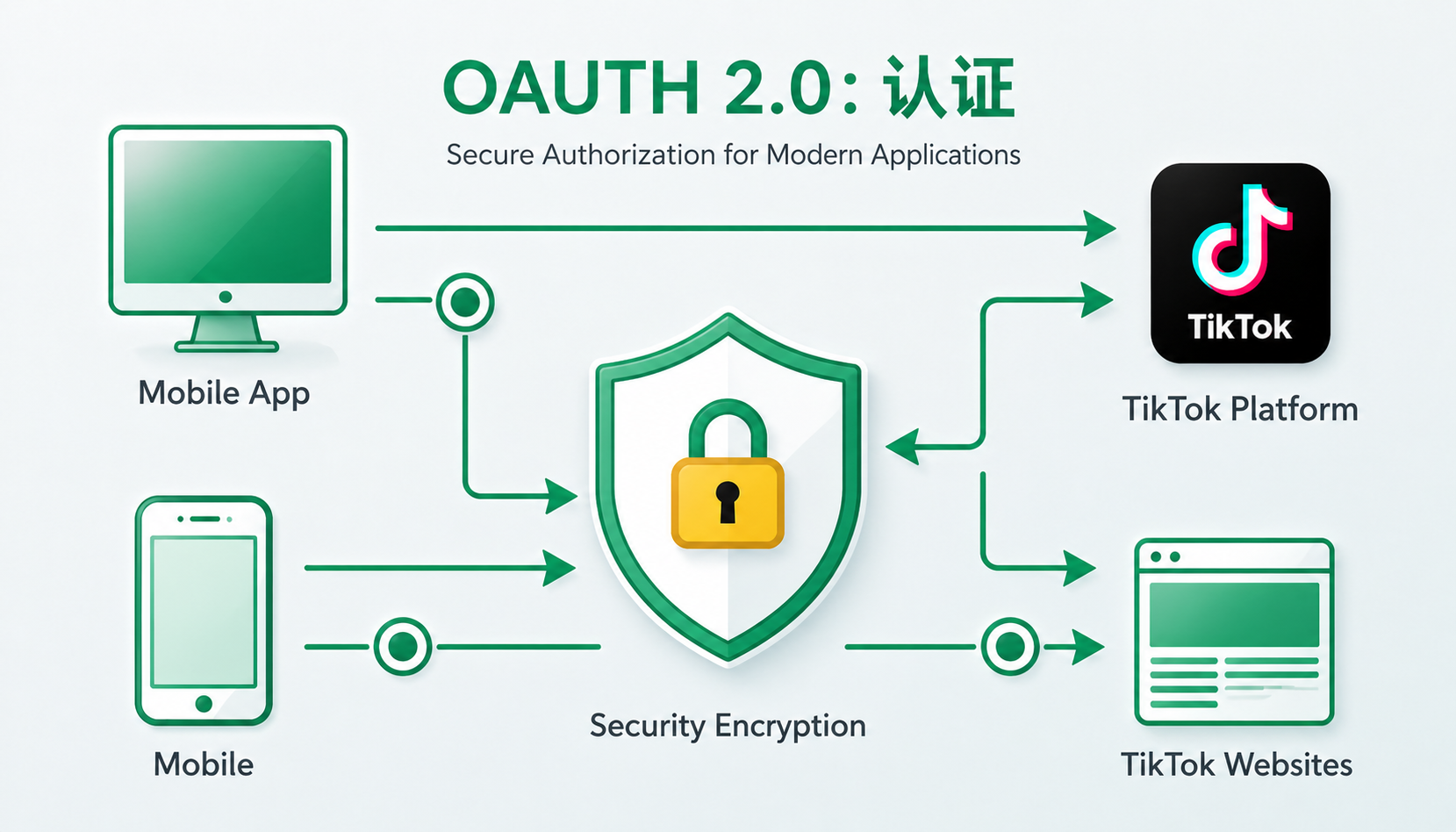
OAuth 2.0 Authorization Flow
Connect Your TikTok Account
This action opens TikTok authorization to connect your account. You will be redirected to TikTok's secure login page where you can grant NobodyToldYou permission to upload videos on your behalf.
Your TikTok credentials are never shared with us. We only receive an access token with video.upload scope.
TikTok API Scopes Requested
user.info.basic — Display the connected TikTok account identityvideo.upload — Upload selected videos as TikTok draftsvideo.publish — Direct publishing only after TikTok approvalIf only video.upload is approved, videos are uploaded as drafts for the user to complete publishing inside TikTok.
API Transparency
How we use TikTok API
This integration uses the TikTok Sandbox environment during development and app review. Below is a transparent description of how NobodyToldYou uses the TikTok API.
NobodyToldYou uses TikTok OAuth 2.0 to let users securely connect their own TikTok account.
The app uses TikTok's Content Posting API to upload or publish videos selected by the user.
Direct publishing is only available when TikTok grants the `video.publish` scope. If only `video.upload` is approved, videos are uploaded as drafts for the user to complete publishing inside TikTok.
We do not access or store TikTok passwords.
We only perform actions explicitly approved by the user.
Requested Scopes
user.info.basicUsed to display the connected TikTok account identity.
video.uploadUsed to upload selected videos as TikTok drafts.
video.publishUsed only for direct publishing after TikTok approval.
Important: If the app submission does not request video.publish, all direct publishing claims will be removed. The app will only support uploading videos as drafts.
NobodyToldYou is not affiliated with, endorsed by, or sponsored by TikTok.
How It Works
From desktop to TikTok in 7 simple steps
A clear, step-by-step walkthrough of the entire process — from opening the app to seeing your video on TikTok. This integration uses the TikTok Sandbox environment during development and app review.
Open the Desktop Application
Launch NobodyToldYou on your Windows or macOS computer. The application provides a clean interface for managing your TikTok video uploads.
Click 'Connect TikTok'
Press the Connect TikTok button within the application. This initiates the OAuth 2.0 authorization flow with TikTok's servers. The app requests the video.upload and video.publish scopes.
Authorize via TikTok OAuth
Your browser opens TikTok's official authorization page. Log in to your TikTok account and grant NobodyToldYou permission to upload videos. The video.upload and video.publish scopes are requested.
Return to the Application
After authorization, TikTok redirects you back to the application. Your account is now connected and ready for video uploads. No password is ever stored.
Select Your Video
Choose a video file from your computer. Supported formats include MP4 and MOV. The application validates the file meets TikTok's requirements before upload.
Add Caption and Settings
Write your video caption, add hashtags, and configure upload settings. Choose whether to upload as a draft or publish directly. Direct publishing requires TikTok approval for the `video.publish` scope.
Upload Video via TikTok API
Click upload and the video is sent directly to TikTok's servers through the official Video Upload API. Track the upload progress in real-time within the application.
Workflow Comparison
Before & NobodyToldYou
See how NobodyToldYou transforms your TikTok publishing workflow
Without NobodyToldYou
Manual browser upload process
With NobodyToldYou
Streamlined desktop workflow
Streamlined desktop publishing workflow
Upload directly from desktop to TikTok via the official API
Interactive Demo
Visual workflow walkthrough
This is a simulated walkthrough showing the intended TikTok connection, upload, and publishing workflow. The real API flow is demonstrated separately in the TikTok review video using the Sandbox environment.
Open NobodyToldYou
Launch the application on your desktop. The clean interface provides immediate access to all video upload tools and TikTok integration features.
Feature Spotlight
See it in action
Explore the core features that make NobodyToldYou the fastest way to upload videos to TikTok from your desktop.
summer_vibes_2024.mp4
1080×1920 • MP4 • 24.3 MB
Draft & Publish
One-Click Upload
Upload videos to TikTok from your desktop. No browser tabs, no manual steps — just select your video and upload. Direct publishing requires TikTok approval for the `video.publish` scope.
- Drag & drop or browse for video files
- Automatic format validation before upload
- Real-time upload progress tracking
- Direct TikTok Video Upload API integration
Power User Shortcuts
Master NobodyToldYou with keyboard shortcuts designed for speed
Upload video
And many more shortcuts available in the app
Comparison
Why choose NobodyToldYou?
See how NobodyToldYou compares to manual uploads and browser extensions for TikTok content publishing.
The only desktop tool using the TikTok API with secure OAuth 2.0 authentication.
App Preview
See the NobodyToldYou desktop application
Real interface screenshots showing the complete workflow — from connecting your TikTok account to uploading your first video.
Main Dashboard
View your connected TikTok account and manage video uploads from a single interface.
Upload Screen
Select a video file, preview it, and configure upload settings before sending to TikTok.
TikTok Connection
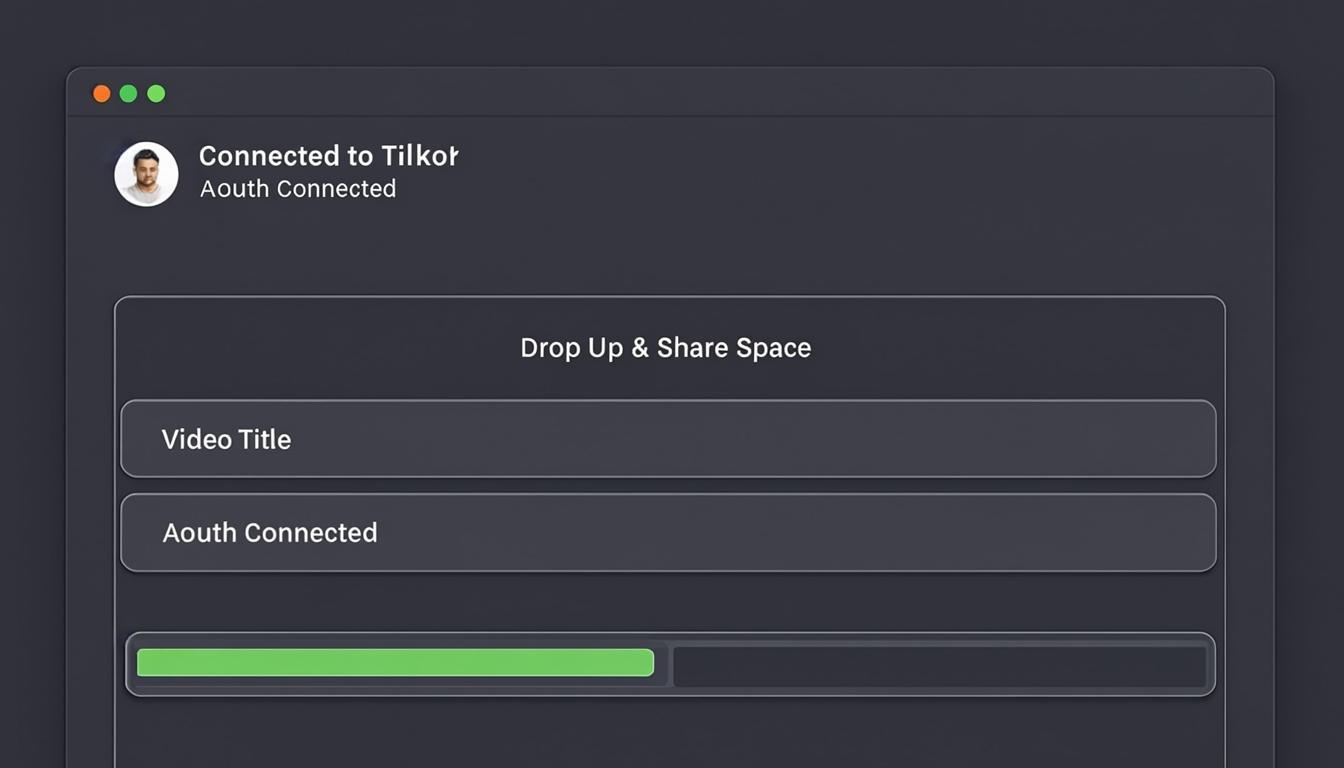
Secure OAuth flow opens TikTok authorization page. Users approve access and return to the app.
Upload Progress
Real-time upload progress tracking with status indicators for each video.
Features
What NobodyToldYou provides
Designed for secure TikTok OAuth connection. Supports upload and publishing workflows depending on approved TikTok scopes.
“NobodyToldYou uses TikTok's official OAuth 2.0 flow for secure account connection. Your password is never shared with or stored by the application — only a secure access token is used.”
Product Feature
OAuth 2.0 Connection
“Upload videos directly from your desktop to TikTok without needing to transfer files to your phone. Supports MP4 and MOV formats with caption editing and hashtag management.”
Product Feature
Desktop Upload Workflow
“Upload videos as drafts for review before publishing, or publish directly if TikTok grants the video.publish scope. Supports upload and publishing workflows depending on approved TikTok scopes.”
Product Feature
Draft & Publish Support
“The application only requests the minimum required scopes: user.info.basic, video.upload, and video.publish. No access to your profile, followers, or any other personal information beyond what's needed.”
Product Feature
Minimal Data Access
“End-to-end encryption for all API communications. Access tokens are encrypted and stored locally on your device. No data is ever sent to third-party servers.”
Product Feature
Secure by Design
“NobodyToldYou is completely free with no tiers or hidden costs. Built for creators who need a reliable desktop TikTok workflow using the official TikTok API.”
Product Feature
Free & Open
“NobodyToldYou uses TikTok's official OAuth 2.0 flow for secure account connection. Your password is never shared with or stored by the application — only a secure access token is used.”
Product Feature
OAuth 2.0 Connection
“Upload videos directly from your desktop to TikTok without needing to transfer files to your phone. Supports MP4 and MOV formats with caption editing and hashtag management.”
Product Feature
Desktop Upload Workflow
“Upload videos as drafts for review before publishing, or publish directly if TikTok grants the video.publish scope. Supports upload and publishing workflows depending on approved TikTok scopes.”
Product Feature
Draft & Publish Support
“The application only requests the minimum required scopes: user.info.basic, video.upload, and video.publish. No access to your profile, followers, or any other personal information beyond what's needed.”
Product Feature
Minimal Data Access
“End-to-end encryption for all API communications. Access tokens are encrypted and stored locally on your device. No data is ever sent to third-party servers.”
Product Feature
Secure by Design
“NobodyToldYou is completely free with no tiers or hidden costs. Built for creators who need a reliable desktop TikTok workflow using the official TikTok API.”
Product Feature
Free & Open
Pricing
Free to use. No hidden costs.
NobodyToldYou is completely free. No subscriptions, no premium tiers, no hidden fees. Just download and start uploading to TikTok.
Free
Full access to all core features
No credit card required. No account creation needed. Download and start using immediately.
Roadmap
What's coming next
We're continuously improving NobodyToldYou. Here's our development roadmap and feature timeline.
Initial Release
2025Core TikTok video upload functionality with OAuth 2.0 integration
Enhanced Workflow
Q2 2025Batch uploads, scheduling, and multi-account support
Creator Suite
Q3 2025Advanced tools for professional content creators
Have a feature request? Let us know
Milestones
Development Timeline
From initial concept to official launch — follow our journey building the desktop tool for TikTok content creators.
Project Started
Initial concept and TikTok API research. Began exploring the Content Posting API and OAuth 2.0 integration possibilities.
Project Started
Initial concept and TikTok API research. Began exploring the Content Posting API and OAuth 2.0 integration possibilities.
TikTok API Approved
Received TikTok Content Posting API access. Officially authorized to build desktop integration with secure authentication.
TikTok API Approved
Received TikTok Content Posting API access. Officially authorized to build desktop integration with secure authentication.
Beta Launch
First beta version released to early testers. Core upload workflow and OAuth flow validated with real TikTok accounts.
Beta Launch
First beta version released to early testers. Core upload workflow and OAuth flow validated with real TikTok accounts.
v1.0 Release
Official launch with full upload capabilities. Stable release featuring video uploads, caption editing, and draft support.
v1.0 Release
Official launch with full upload capabilities. Stable release featuring video uploads, caption editing, and draft support.
Multi-Account Support
Connect and manage multiple TikTok accounts. Switch between accounts seamlessly and upload to different profiles.
Multi-Account Support
Connect and manage multiple TikTok accounts. Switch between accounts seamlessly and upload to different profiles.
Video Editor Integration
Built-in editing tools for trimming, filters, and effects. Create and polish content without leaving the app.
Video Editor Integration
Built-in editing tools for trimming, filters, and effects. Create and polish content without leaving the app.
Stay Updated
Get notified about app updates, new features, and TikTok API news. No spam — just important updates.
Download
Get NobodyToldYou for your desktop
Download the desktop application and start uploading videos to TikTok in minutes. Free to use with all core features. You must connect your own TikTok account before performing any upload or publish actions.
Windows
Windows 10+ (64-bit)
Download size: ~42 MB
macOS
macOS 12+ (Intel & Apple Silicon)
Download size: ~48 MB
Installation Instructions
- 1Download
Download the installer for your operating system above.
- 2Install
Run the installer and follow the on-screen setup instructions.
- 3Connect
Launch NobodyToldYou and click "Connect TikTok" to link your account.
- 4Upload
Select a video, add your caption, and upload!
System Requirements
FAQ
Frequently Asked Questions
Common questions about NobodyToldYou, TikTok integration, and data privacy.
Can't find your answer? Contact us at [email protected]
Contact & Support
Have questions? We're here to help
Whether you need app support, help with your TikTok connection, have privacy or data requests, or want to report a bug — our team is ready to assist you.
TikTok API Questions
For questions about how we use the TikTok API, OAuth flow, or data handling — contact us anytime.
Support Hours
Monday – Friday, 9 AM – 5 PM (CET). We respond to all inquiries within 2-3 business days.
Global Access
NobodyToldYou is available worldwide. We support all regions where TikTok is accessible.
Send us a message
GET STARTED TODAY
Ready to upload your first video to TikTok?
Download NobodyToldYou and start creating content for your TikTok audience in minutes.
Legal
Privacy Policy
Last updated: May 1, 2026
This Privacy Policy describes how NobodyToldYou ("we," "our," or "the application") collects, uses, and protects information when you use our desktop application to upload videos to TikTok. We are committed to transparency and minimal data collection. By using NobodyToldYou, you agree to the practices described in this policy.
1. Information We Collect
NobodyToldYou collects minimal data necessary for the application to function:
• TikTok basic account information (username and avatar) — obtained only after you explicitly authorize via TikTok OAuth 2.0.
• TikTok access token — used exclusively to upload videos on your behalf. This token is encrypted and stored locally on your device.
• Video files you select for upload — processed temporarily and sent directly to TikTok's servers. We do not store copies of your videos.
• Application usage data — basic crash and error logs to improve stability. No personal content is included in these logs.
2. How We Use Your Information
Your information is used solely for the following purposes:
• To authenticate your TikTok account via the official OAuth 2.0 protocol.
• To upload videos to your TikTok account as requested by you.
• To display your TikTok username and avatar within the application for identification purposes.
• To improve application performance and fix bugs through anonymized crash reports.
We do NOT use your data for advertising, analytics profiling, or any purpose beyond providing the core upload functionality.
3. OAuth Token Handling
NobodyToldYou uses OAuth 2.0 tokens to communicate with the TikTok API on your behalf:
• Access tokens are obtained through TikTok's official OAuth 2.0 authorization flow. You authenticate directly with TikTok — the application never sees your password.
• Tokens are encrypted and stored locally on your device. They are never transmitted to our servers or any third-party service.
• Tokens are used solely for the purpose of uploading and publishing videos via the TikTok Content Posting API.
• When you disconnect your TikTok account, the access token is immediately deleted from your device.
4. Password Policy
NobodyToldYou does not collect, store, or have access to your TikTok password:
• Authentication is handled entirely by TikTok's OAuth 2.0 flow. You log in on TikTok's secure website.
• The application only receives an access token after you explicitly grant permission.
• No password is ever transmitted to, stored by, or accessible to NobodyToldYou.
5. Data Sharing and Resale
We do NOT sell, rent, trade, or share your personal data with any third parties.
• Your TikTok access token is stored only on your local device and is never transmitted to our servers or any third-party service.
• Video files are sent directly to TikTok's API servers and are not routed through any intermediary servers.
• We do not share, aggregate, or monetize user data in any form.
• The only external party your data is shared with is TikTok, and only for the purpose of uploading videos as you request.
6. Data Retention
NobodyToldYou retains data only as long as necessary:
• TikTok access tokens are stored locally on your device until you disconnect your account or uninstall the application.
• Video files are processed in memory only and are not stored after upload completes.
• Crash logs contain no personal information and are retained for a maximum of 90 days.
• Upon account disconnection, all associated tokens and local data are immediately deleted.
7. User Control and Data Deletion
You have full control over your data at all times:
• You can disconnect your TikTok account at any time from within the application. This immediately revokes the access token.
• You can revoke NobodyToldYou's access directly from your TikTok account settings at any time.
• All local data (access tokens, preferences) is stored on your device and can be deleted by uninstalling the application.
• Upon disconnection, we have no ability to access your TikTok account or any associated data.
• To request deletion of any remaining data, contact us at [email protected].
8. Data Security
We take reasonable measures to protect your information:
• Access tokens are encrypted when stored locally on your device.
• All API communication with TikTok uses HTTPS encryption.
• The application does not collect or store your TikTok password.
• Regular security reviews are conducted to identify and address potential vulnerabilities.
9. Third-Party Services
NobodyToldYou integrates only with the following third-party service:
• TikTok API — Used for account authentication (OAuth 2.0) and video uploading. TikTok's privacy policy governs data handled by TikTok: https://www.tiktok.com/legal/privacy-policy
No other third-party services, analytics platforms, or advertising networks are integrated into the application.
10. Contact Information
If you have any questions or concerns about this Privacy Policy or your data, please contact us:
Email: [email protected]
We will respond to all privacy-related inquiries within 2-3 business days.
Legal
Terms of Service
Last updated: May 1, 2026
These Terms of Service ("Terms") govern your use of the NobodyToldYou desktop application. By downloading, installing, or using the application, you agree to be bound by these Terms. If you do not agree with any part of these Terms, you must not use the application.
1. Description of Service
NobodyToldYou is a desktop application that allows users to upload video content to their TikTok accounts using the TikTok API. The service includes:
• Secure connection to your TikTok account via OAuth 2.0 authorization.
• Video file selection from your local computer.
• Caption editing and hashtag management.
• Video upload to TikTok as a draft or published post via the TikTok Content Posting API. Direct publishing requires TikTok approval for the `video.publish` scope.
The application is provided as a standalone desktop tool. It does not provide video editing, content creation, or content recommendation features beyond those described above.
2. User Responsibilities
By using NobodyToldYou, you agree to the following responsibilities:
• You must be at least 13 years old to use this application, in compliance with TikTok's age requirements.
• You must own or have the legal right to upload any video content you submit through the application.
• You are solely responsible for the content you upload, including ensuring it complies with TikTok's Community Guidelines and Terms of Service.
• You must not use the application to upload content that is illegal, harmful, threatening, abusive, defamatory, or otherwise objectionable.
• You must not use the application for any purpose that violates applicable local, state, national, or international law.
• You are responsible for maintaining the security of your device and the application installation.
• You must connect your own TikTok account before performing any upload or publish actions.
3. TikTok API Dependency
NobodyToldYou depends on the TikTok API for its core functionality. The following applies:
• The application uses TikTok's Content Posting API with the following scopes: user.info.basic, video.upload, and video.publish (if approved).
• The application's functionality is entirely dependent on TikTok API availability. If TikTok revokes API access, modifies the API, or changes its terms, the application may cease to function partially or entirely.
• TikTok reserves the right to revoke API access at any time. In such an event, NobodyToldYou will cease all API-related functionality immediately.
• Direct publishing functionality requires TikTok to grant the `video.publish` scope. If this scope is not approved, videos can only be uploaded as drafts.
• API rate limits imposed by TikTok must be respected. The application implements appropriate throttling to comply with these limits.
• The application does not bypass, circumvent, or attempt to circumvent any security measures implemented by TikTok.
• NobodyToldYou is not affiliated with, endorsed by, or sponsored by TikTok.
4. Acceptable Use
You agree to use NobodyToldYou only for lawful purposes and in accordance with these Terms:
• You must not use the application to upload content that violates TikTok's Community Guidelines.
• You must not use the application to spam, harass, or harm other TikTok users.
• You must not attempt to reverse engineer, decompile, or disassemble the application.
• You must not use the application to scrape, collect, or aggregate TikTok user data beyond what is authorized through the OAuth flow.
• You must not share your TikTok access token with any third party or use it for purposes outside the intended application functionality.
• Access tokens obtained through the OAuth flow are used solely for the purpose of uploading videos on behalf of the authorized user.
• The application does not share, transfer, or expose TikTok API access tokens to any third party.
5. Disclaimer of Warranties
THE APPLICATION IS PROVIDED "AS IS" WITHOUT WARRANTY OF ANY KIND, EXPRESS OR IMPLIED, INCLUDING BUT NOT LIMITED TO THE WARRANTIES OF MERCHANTABILITY, FITNESS FOR A PARTICULAR PURPOSE, AND NON-INFRINGEMENT.
• We do not guarantee that the application will be error-free, uninterrupted, or completely secure.
• We do not guarantee that videos uploaded through the application will be accepted by TikTok or will appear on your account without modification.
• TikTok's content moderation policies may affect uploaded videos independently of this application.
• You use the application at your own risk.
6. Limitation of Liability
IN NO EVENT SHALL NOBODYTOLDYOU, ITS DEVELOPERS, OR AFFILIATES BE LIABLE FOR ANY DIRECT, INDIRECT, INCIDENTAL, SPECIAL, CONSEQUENTIAL, OR EXEMPLARY DAMAGES ARISING OUT OF OR IN CONNECTION WITH THE USE OF THE APPLICATION.
• This includes, but is not limited to, damages for loss of profits, goodwill, data, or other intangible losses.
• We are not responsible for any actions taken by TikTok regarding your account or uploaded content.
• We are not responsible for any content you upload through the application.
• Our total liability to you for all claims arising out of or relating to the use of the application shall not exceed the amount you paid for the application, if any.
7. Modifications to Terms
We reserve the right to modify these Terms of Service at any time. Changes will be effective immediately upon posting to this page with an updated revision date.
• Continued use of the application after modifications constitutes acceptance of the updated terms.
• We will make reasonable efforts to notify users of significant changes via the application or email.
8. Contact Information
For any questions, concerns, or disputes regarding these Terms of Service, please contact us:
Email: [email protected]
We aim to respond to all inquiries within 2-3 business days.